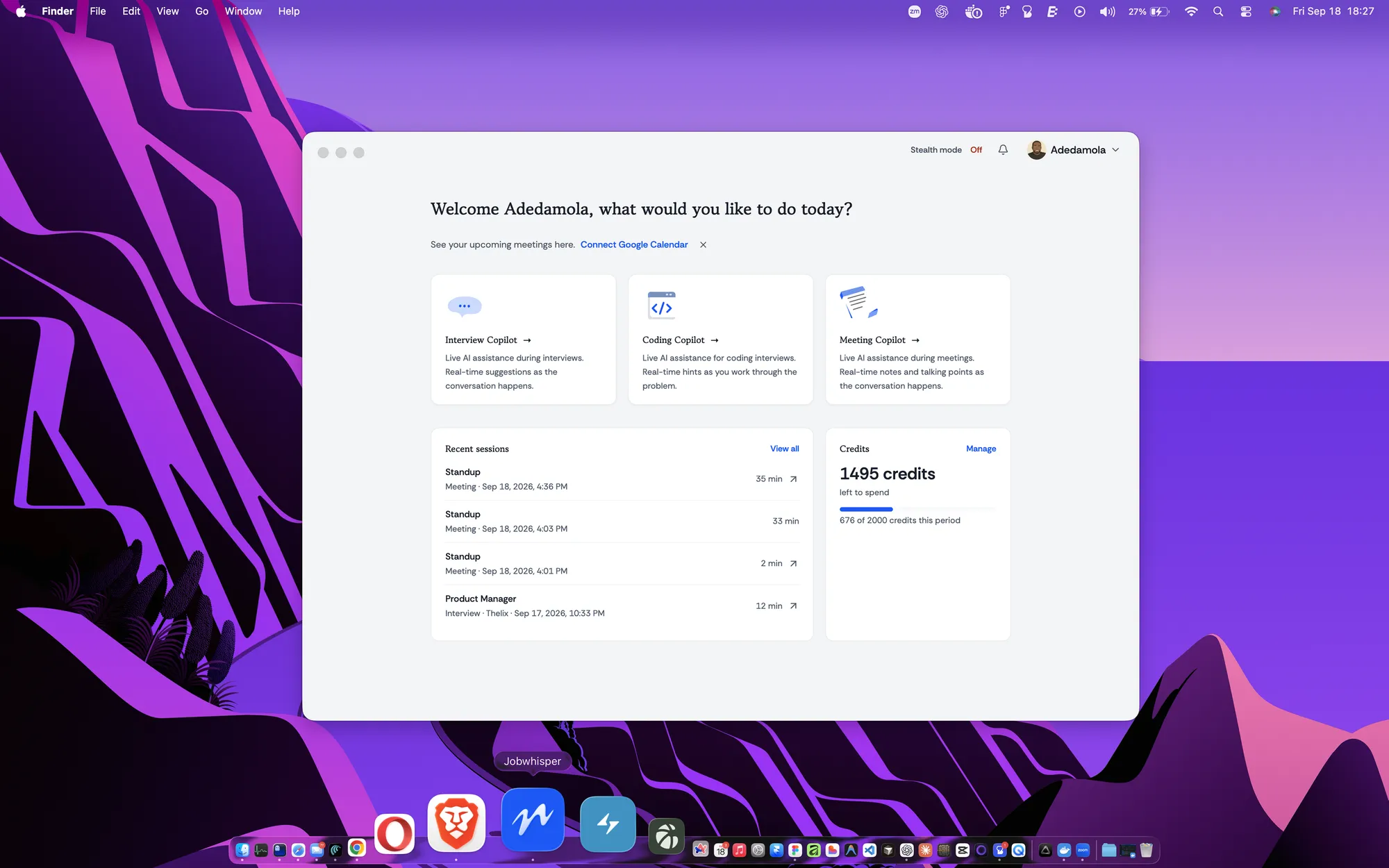
Start here
Your meetings, on the desktop home.
Connect Google Calendar and your upcoming meetings appear in the desktop app, with a reminder shortly before each one starts.

Get real-time notes, talking points and summaries during meetings, so you stay focused on the conversation instead of scrambling to take notes.
Pro and Premier · desktop app
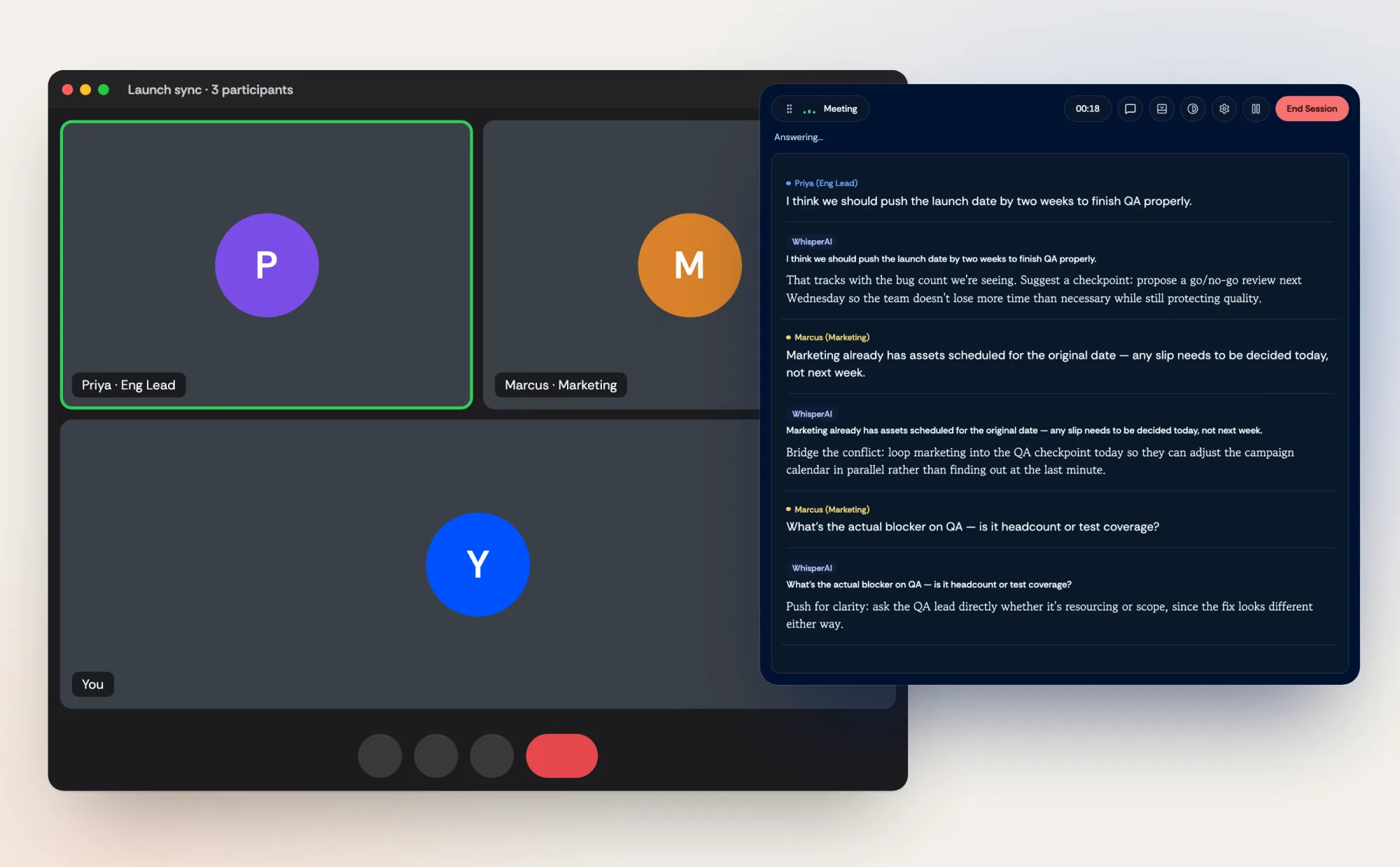
For conversations that are not quite interviews: a recruiter catch-up, a hiring manager chat, a negotiation, a team meet-and-greet. Meeting Copilot follows the discussion and keeps notes and talking points to hand.
It surfaces the points you wanted to raise, so they do not get lost when the conversation moves. Useful in salary conversations, where having your own numbers in front of you matters.
Start here
Connect Google Calendar and your upcoming meetings appear in the desktop app, with a reminder shortly before each one starts.
During the meeting
Meeting Copilot floats over your meeting window and follows what is said, so you never leave the conversation to look something up.
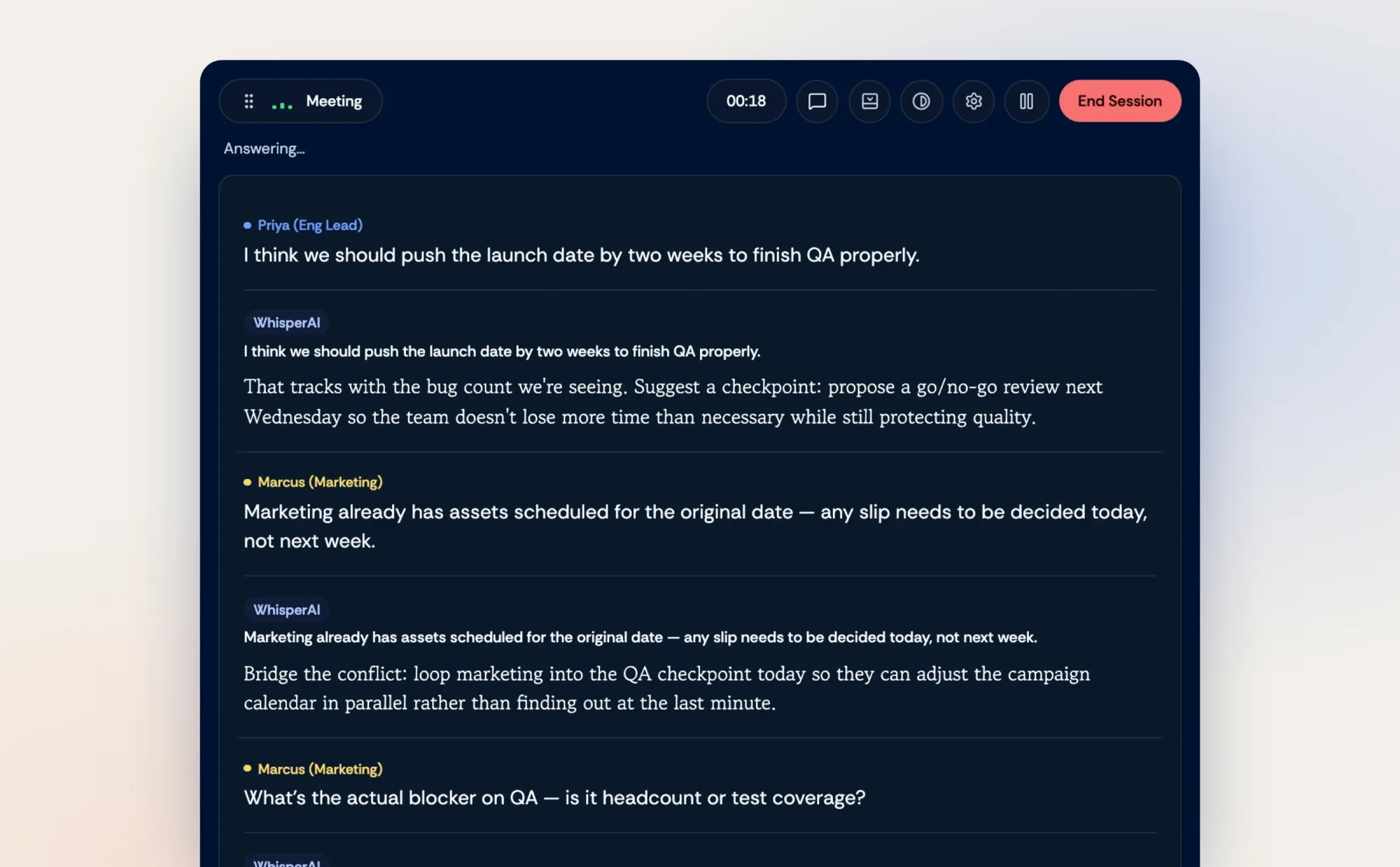
As it happens
Each time someone makes a point, Copilot suggests how to respond, so you can keep the discussion moving in your own words.
The points you meant to make, made, and a record of what was agreed.
Pro and Premier. Without a plan that includes it, it uses pay-as-you-go credits at 2 credits per minute, the same as Interview Copilot.
Yes. Meeting Copilot runs in the Jobwhisper desktop app.
If you want it to. Connect Google Calendar to see upcoming meetings, get a reminder shortly before one starts, and begin a Meeting Copilot with the title already filled in. Access is read-only, and you can disconnect it in your settings.
Yes. Ask Copilot directly and it answers with the conversation so far in mind.
No. Audio is processed only while your session is live and is never written to storage. A text transcript is kept only if you turn on Save transcript for that session.
The points you meant to make, made, and a record of what was agreed.
Includes free credits · No card required
We use cookies and similar technologies, including analytics and the TikTok pixel, to run Jobwhisper, understand how it is used and measure our ads.
Privacy Policy Terms of Service