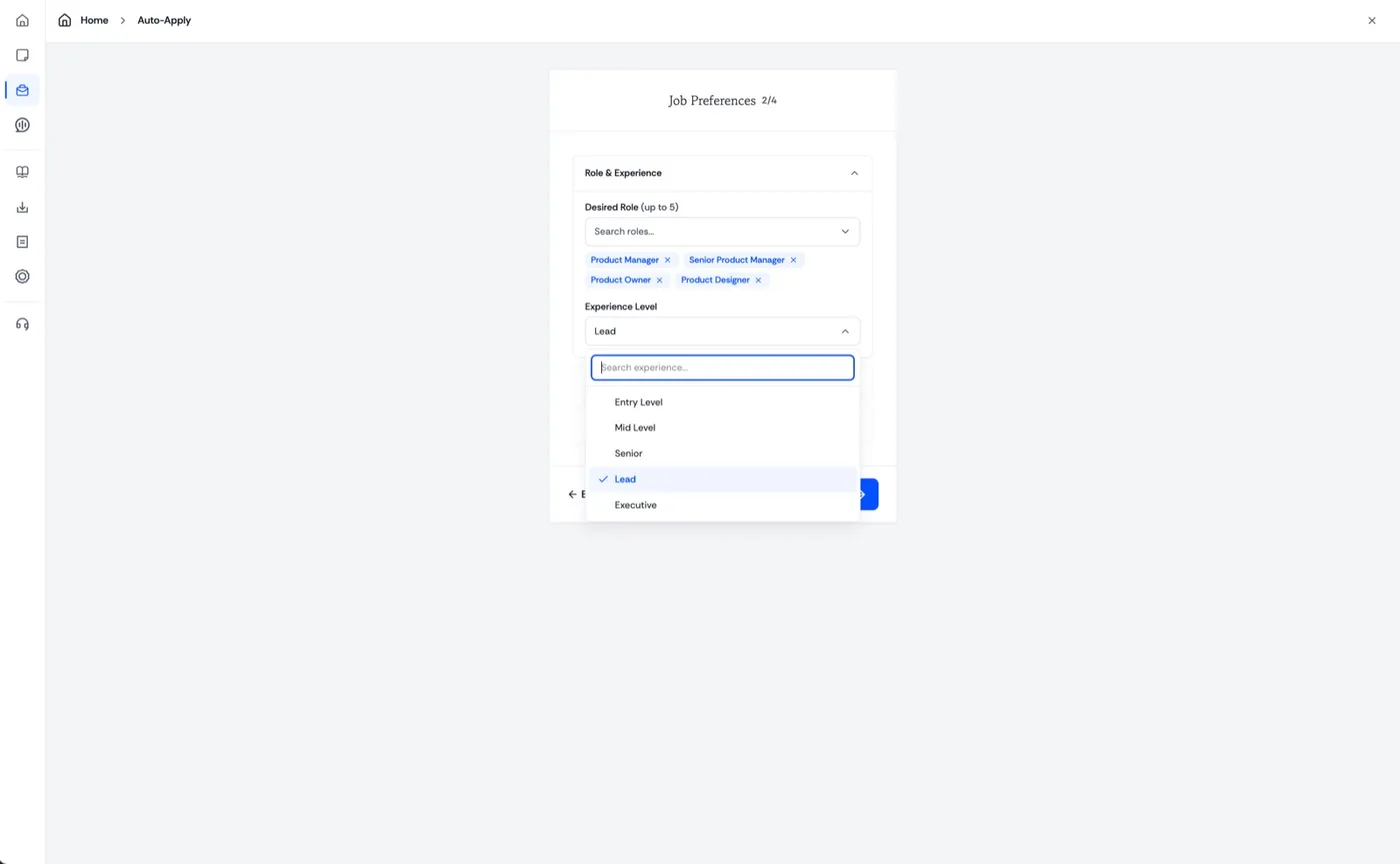
Tell it what you want
Set your job preferences.
Up to five target roles, the level you are after, and everything else about the job you want to land.

Auto Apply
Find roles that fit, review them in one place, and move the ones you choose forward without rebuilding the process.
Pro: 500 applications per cycle · Premier: unlimited
Auto Apply turns your preferences into a focused job-search workflow, from finding relevant openings to tracking what was submitted.
You choose how much control to keep. Review matches yourself or let Jobwhisper move approved applications forward for you.
Tell it what you want
Up to five target roles, the level you are after, and everything else about the job you want to land.
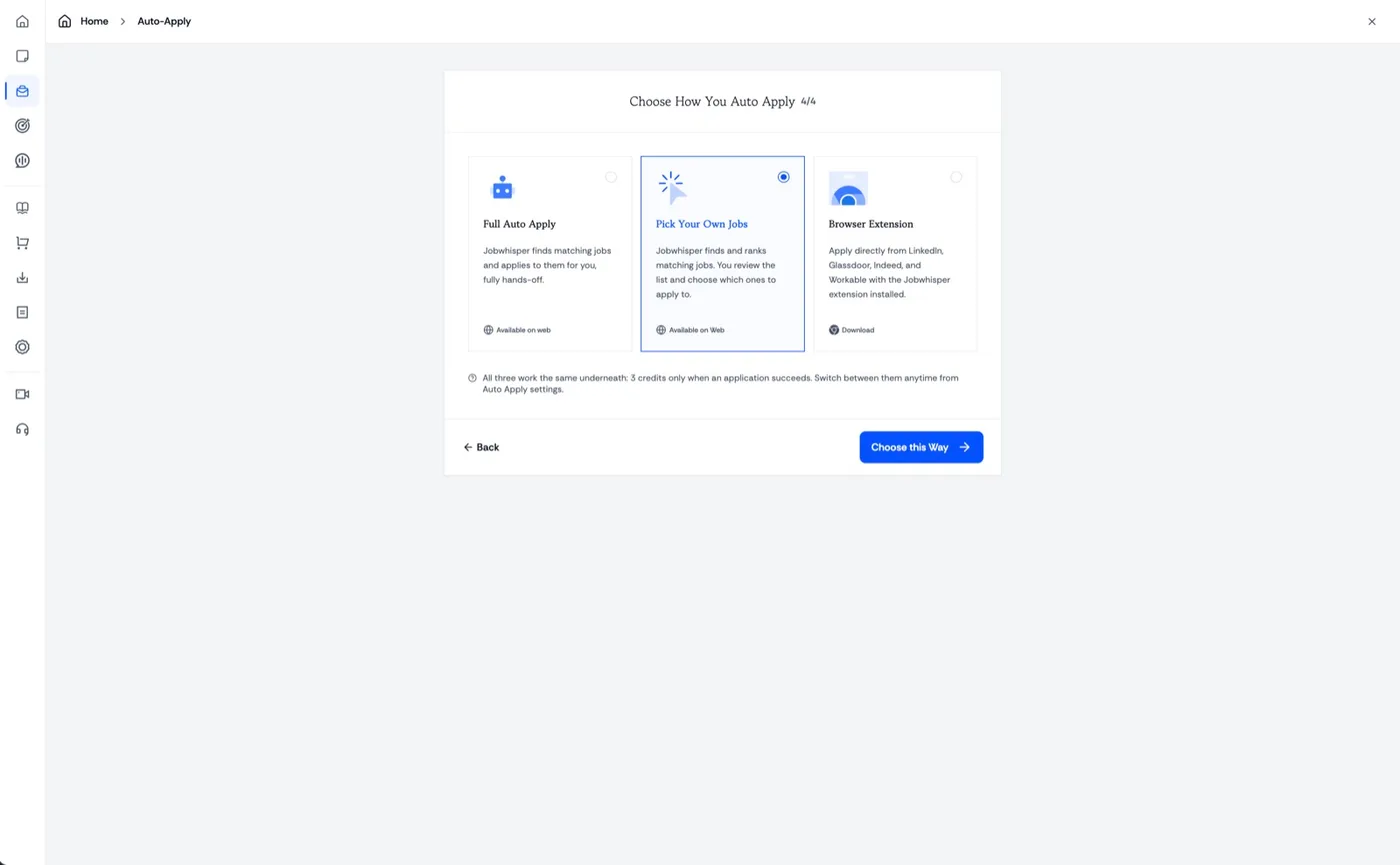
Three ways to run it
Let it apply hands-off, review a ranked list and choose yourself, or download the extension and apply from the boards.
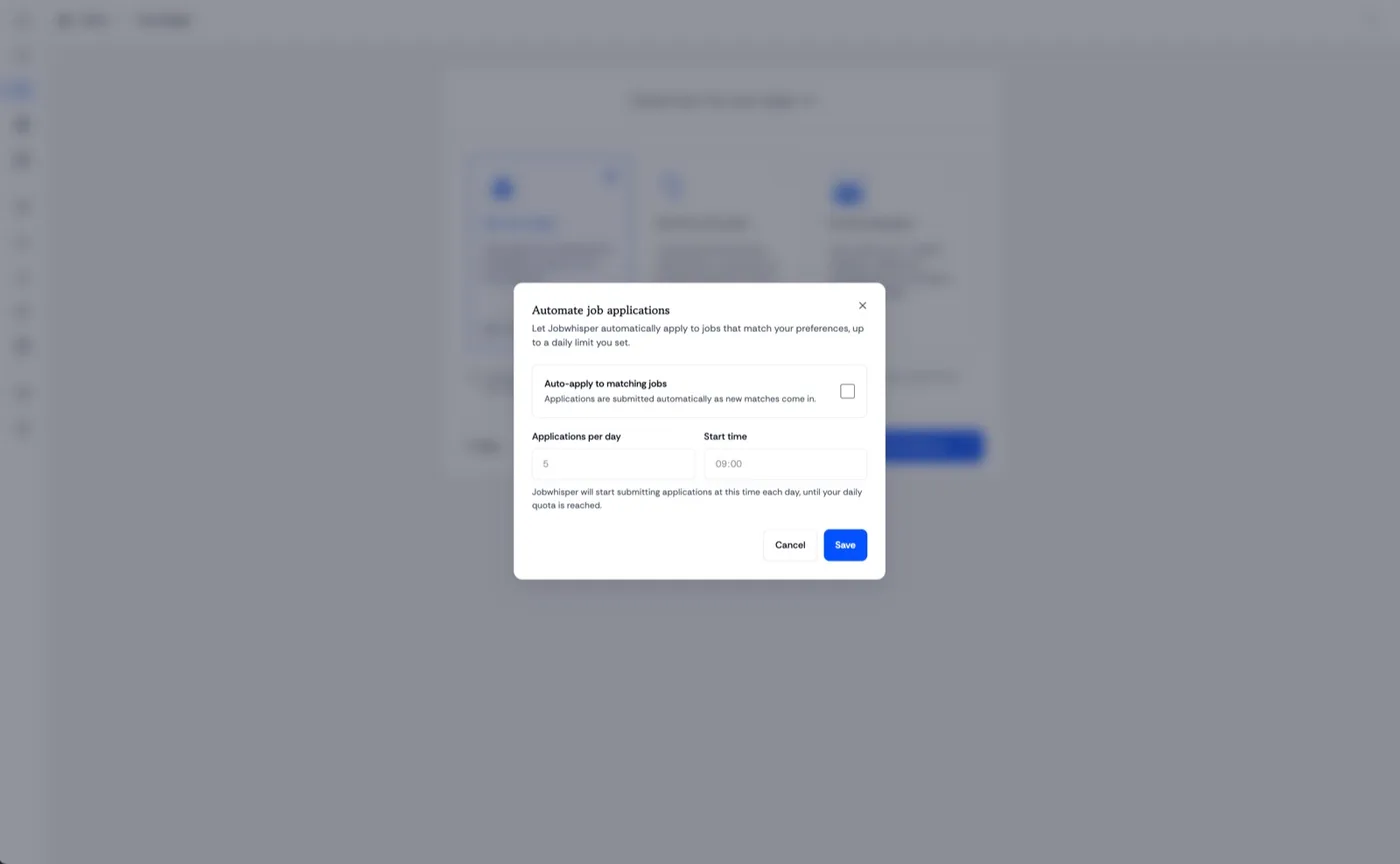
Set it running
Choose how many go out each day and when they start. Jobwhisper works to that quota and then stops.
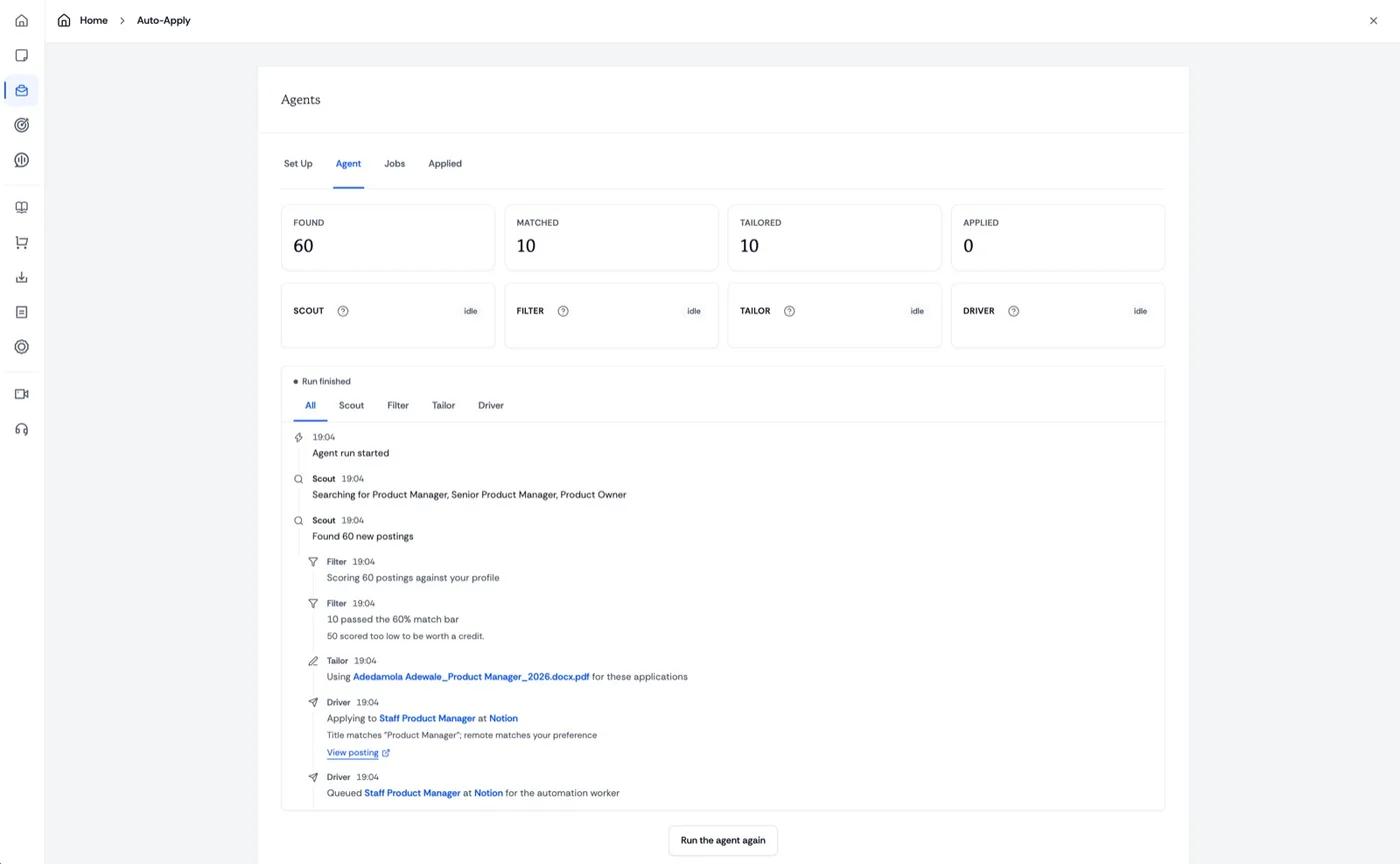
The agents
Four agents run in order. Scout finds postings, Filter scores them against you, Tailor prepares the resume, Driver applies.
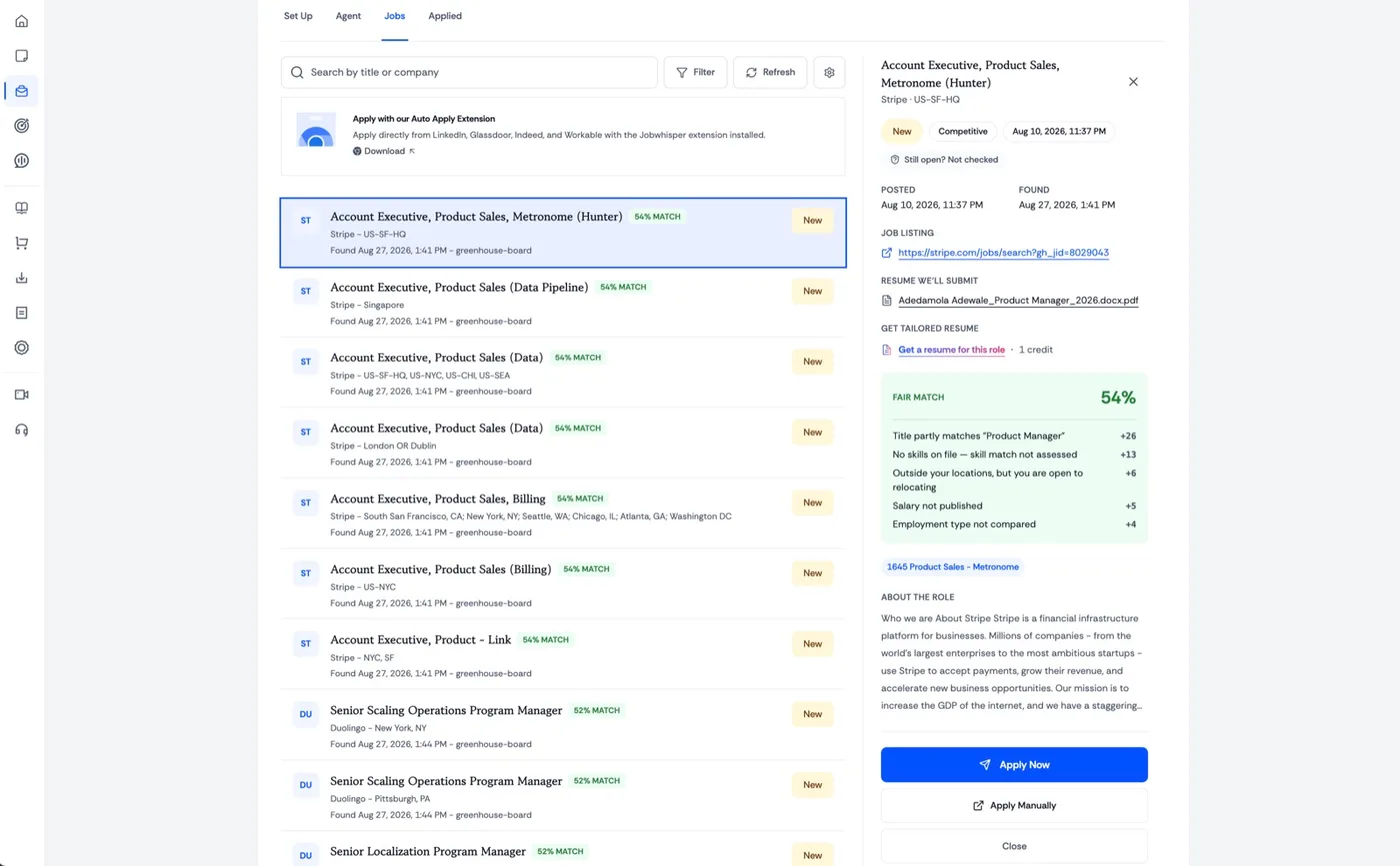
Pick the good ones
Every match shows how it was scored and which resume goes out. Apply to the ones you score highest against.
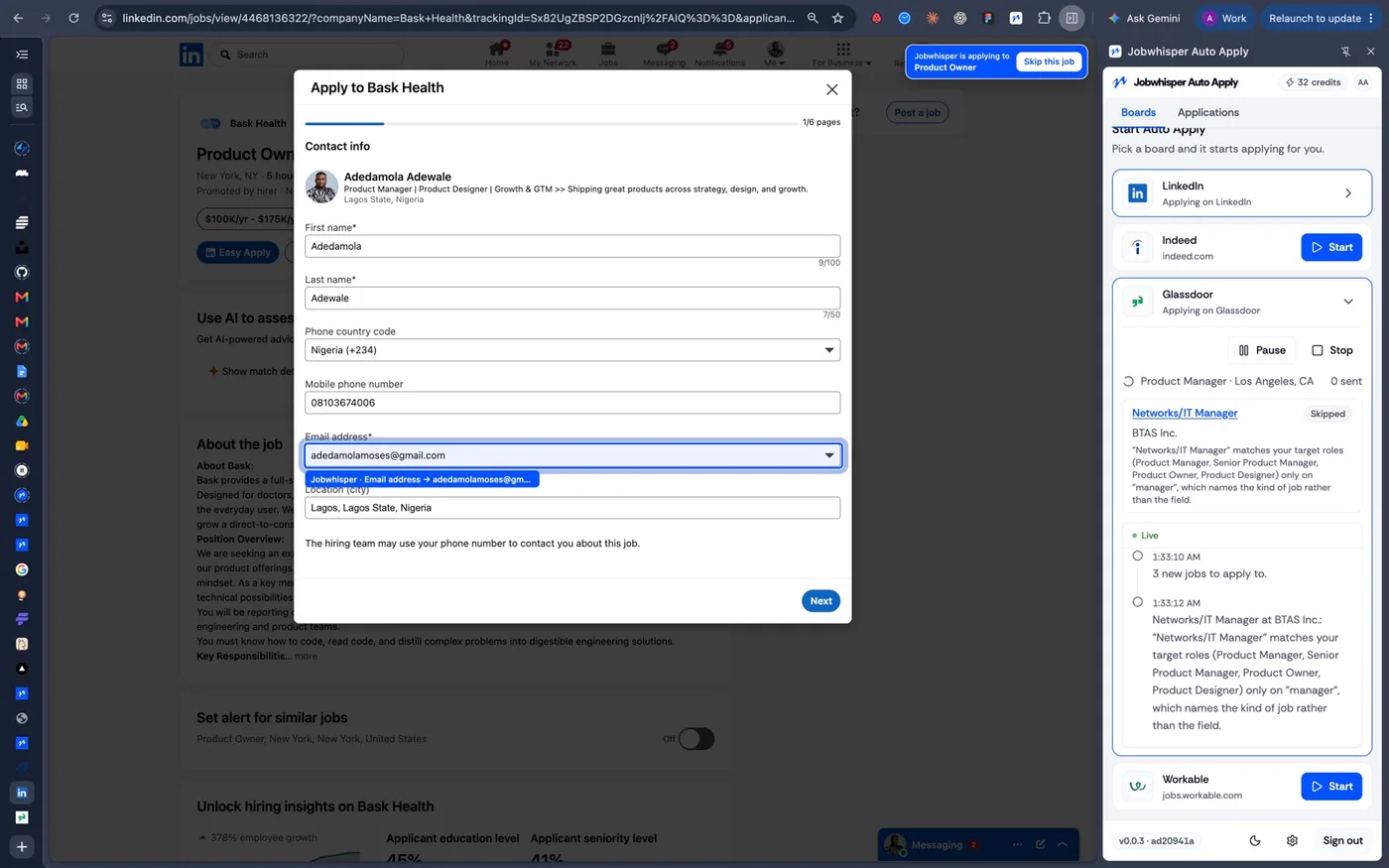
On the boards
The extension applies directly on LinkedIn, Glassdoor, Indeed, Workable and any other easy-apply board.
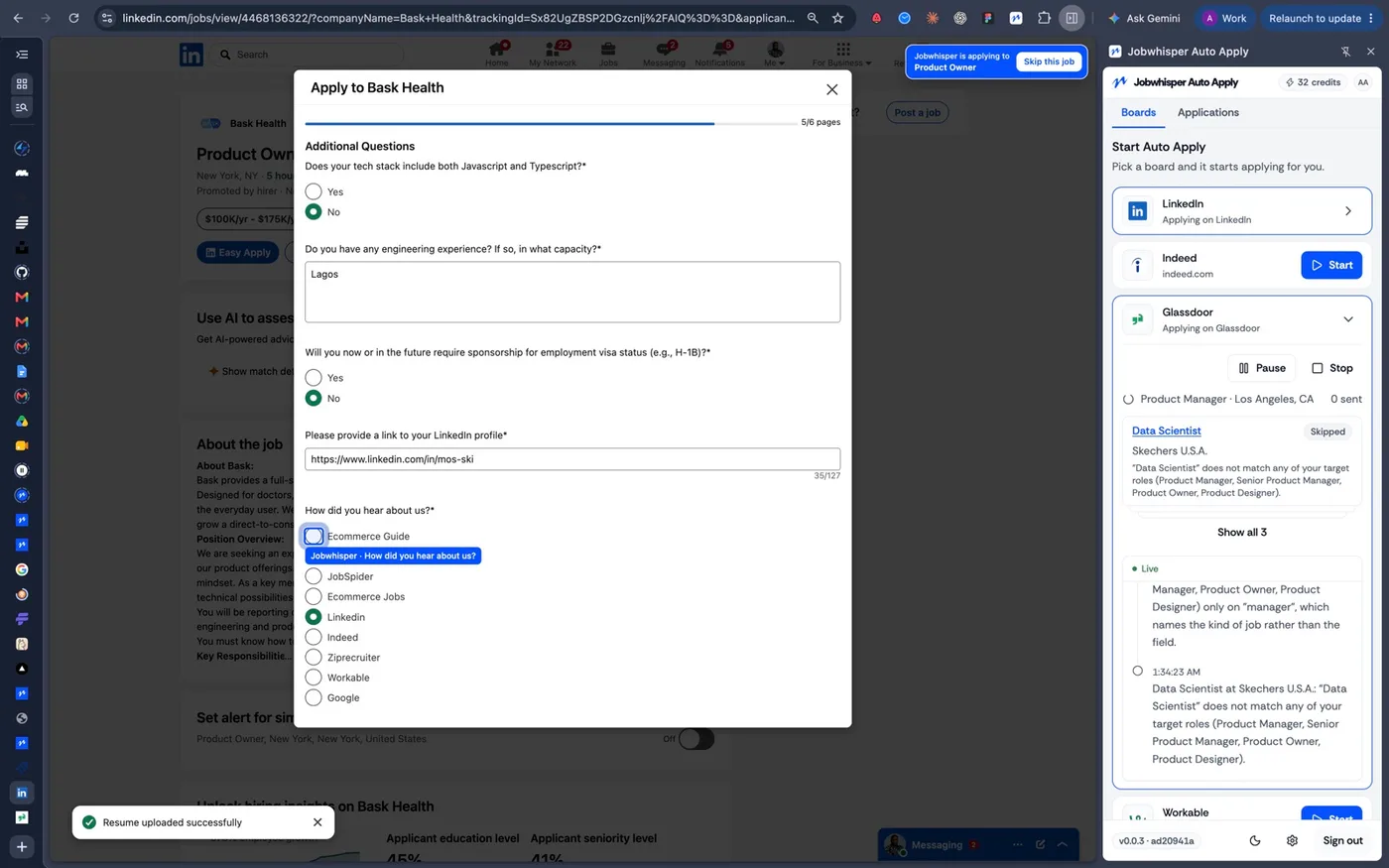
The hard questions
Sponsorship, tech stack, how you heard about the role: answered from your profile instead of typed out again.
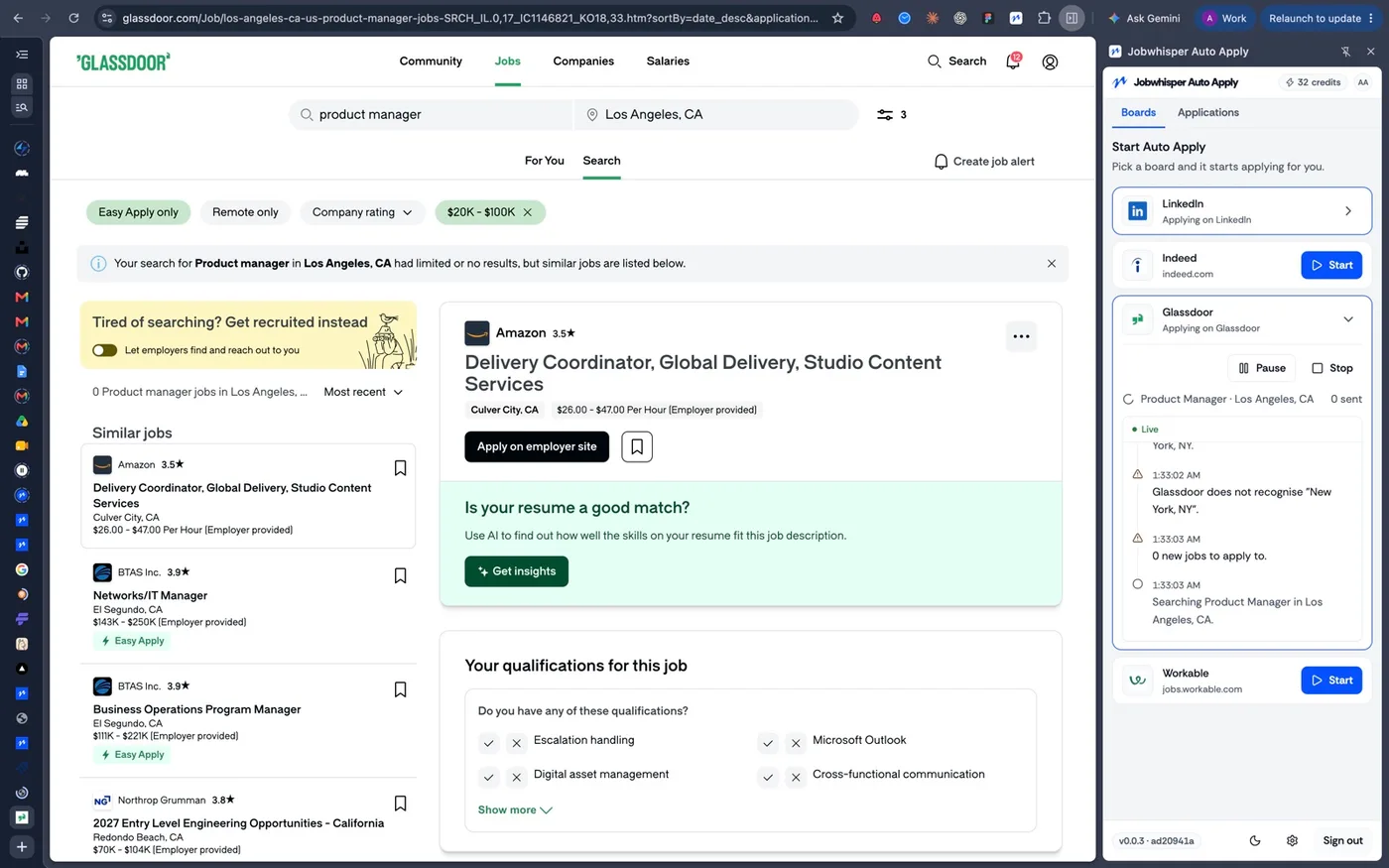
Full history
A live feed of every application: what was searched, what went out, how it was answered, and what was skipped.
A focused pipeline of relevant applications without repeating the same search and setup work every day.
No. You choose the application method and how much review you want before submission.
Matches use your target roles, experience, salary, location, seniority, and work preferences.
Yes. The application timeline shows the role, materials, status, and recorded activity.
Yes. Open every match, understand why it fits, and approve or dismiss it before moving forward.
Yes. Jobwhisper can prepare a role-specific version while keeping your experience and facts accurate.
The application pauses with a clear status so you can answer a new, ambiguous, or sensitive question yourself.
A focused pipeline of relevant applications without repeating the same search and setup work every day.
Includes free credits · No card required
We use cookies and similar technologies, including analytics and the TikTok pixel, to run Jobwhisper, understand how it is used and measure our ads.
Privacy Policy Terms of Service